In my previous post, I explained how to access the terminal via UART. The terminal prompted me to press a magic key to change the default settings.
In this post, we will reverse engineer the firmware to find the magic key.
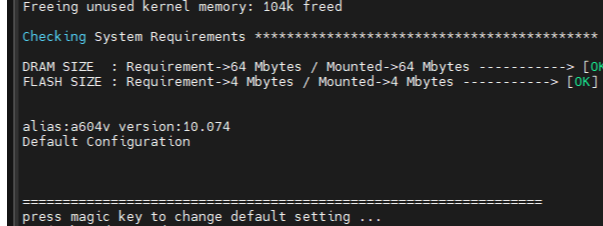
First, we need a firmware file. If the manufacturer provides the firmware, just download it.
If not, you can read it from the flash chip with a flash programmer (I recommend using the CH341A; it’s cheap and works well).
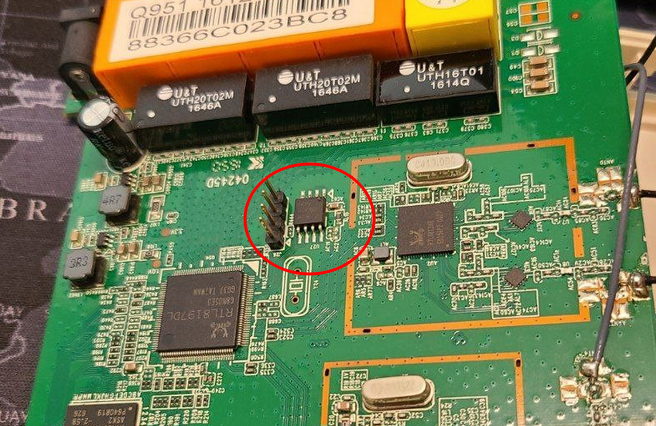
In my case, I downloaded the firmware from the manufacturer’s website.
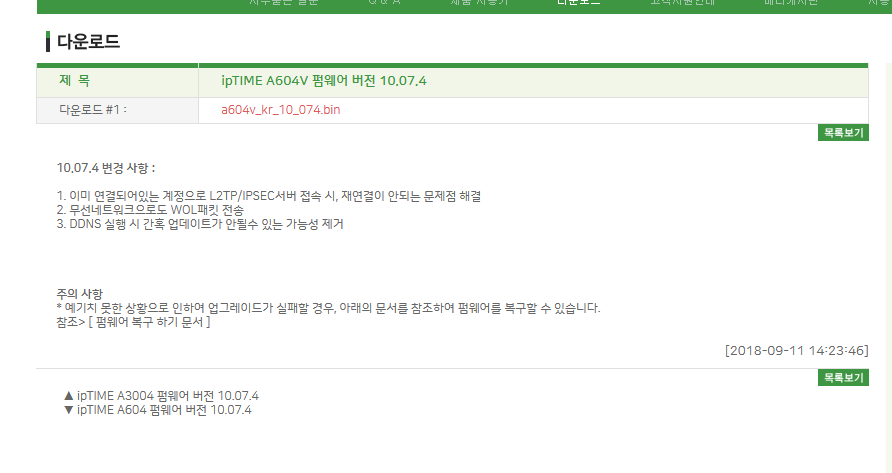
The firmware needs to be unpacked before we can analyze the relevant executable in a disassembler.
So, we will use Binwalk to unpack the firmware.
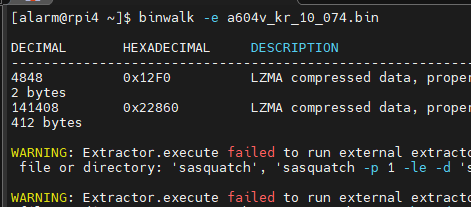
Run binwalk -e {firmware} to extract the firmware.
An _a604v… extraction folder has been created.
Navigate to squashfs-root/sbin inside that folder.
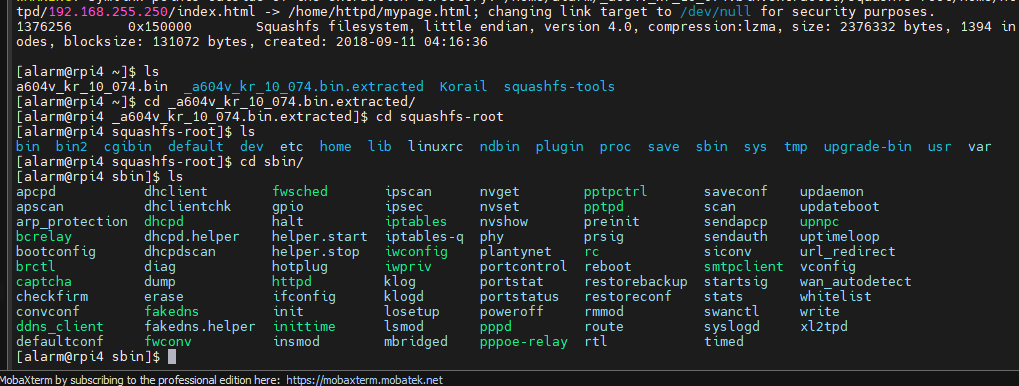
There are many files in the sbin folder, but we only need inittime.
Let’s open it with the IDA disassembler.
I opened inittime in IDA and found the string “Press magic key to change …”.
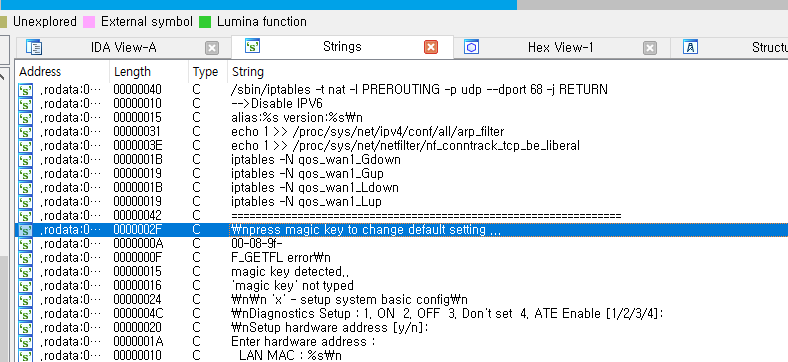
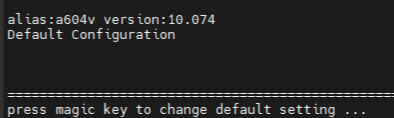
This is the string we saw in the terminal earlier.
Double-click the string to see it in the .rodata segment, as shown below.
Then follow the DATA XREF next to the string.
This device uses the MIPS architecture, so IDA displays MIPS assembly.
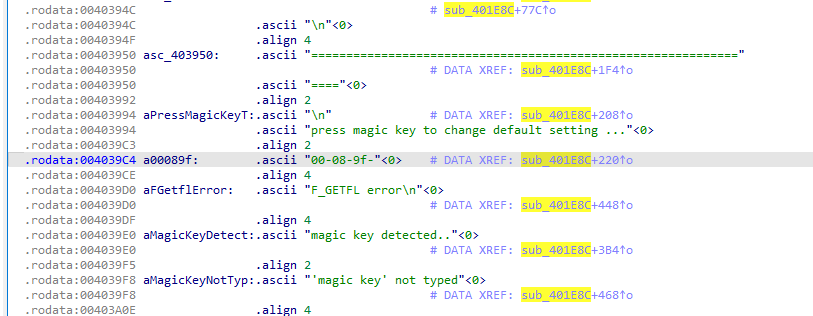
You can now see the graph view of the function that references the string.
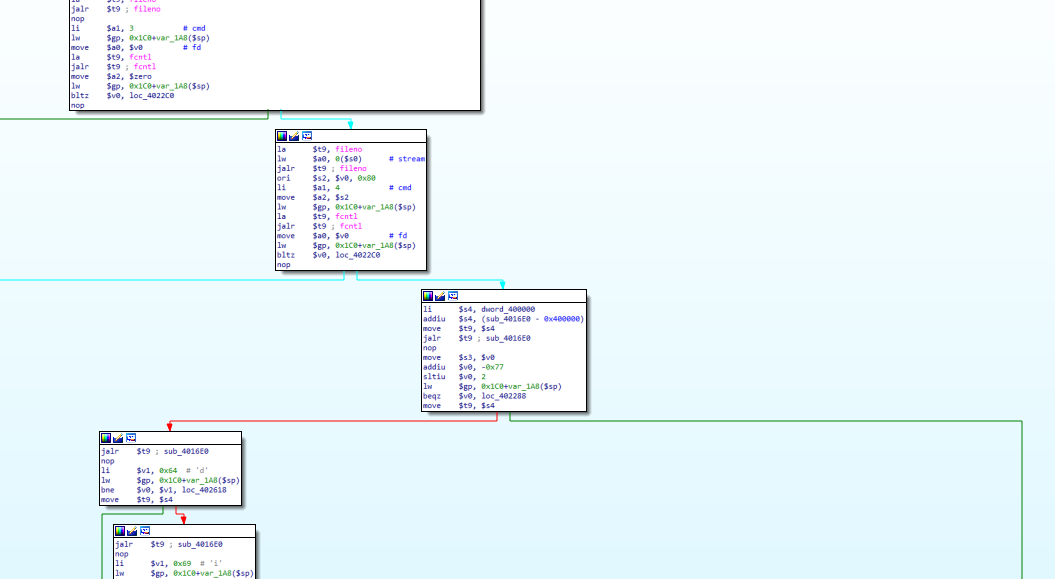
But I think I’ve already found the magic key: IDA displayed the ASCII characters in the comments.
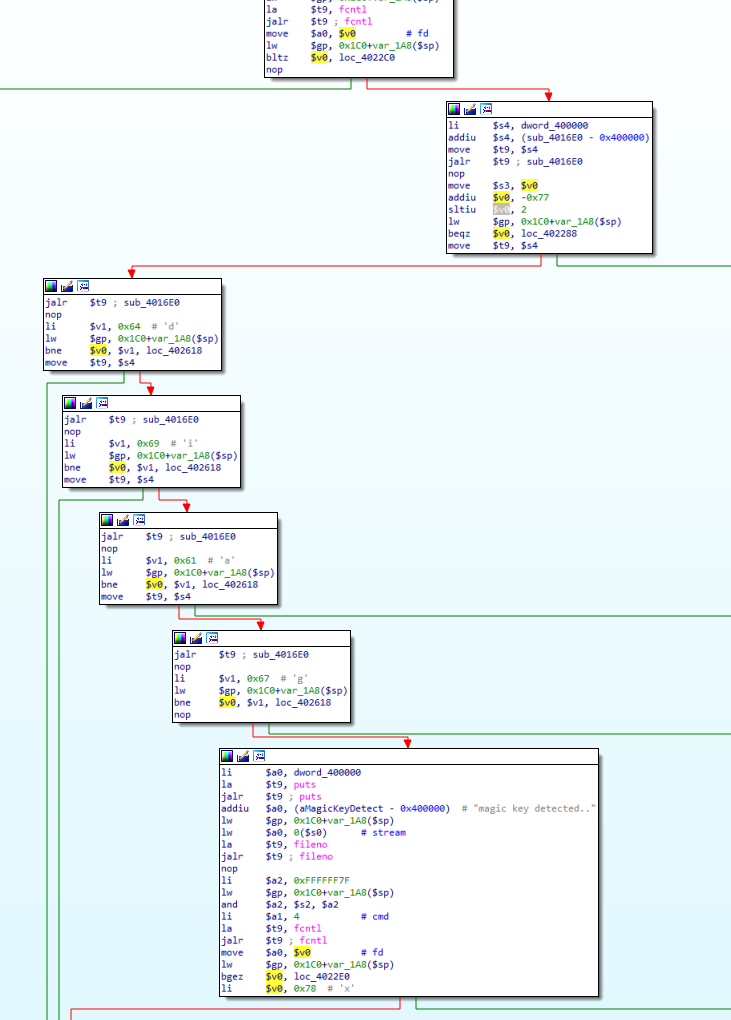
It seems to check the input one character at a time to see whether it matches diag.
Unfortunately, I typed ‘diag’ in the terminal and it didn’t work.
The reason lies in the branch before the check for d.
Let’s take a closer look at this branch point.
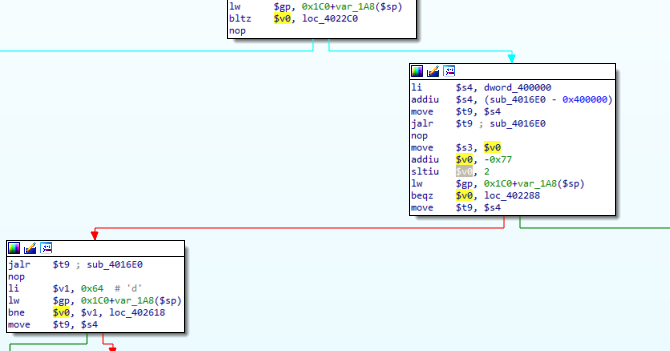
addiu   $v0, -0x77
sltiu   $v0, 2
lw      $gp, 0x1C0+var_1A8($sp)
beqz    $v0, loc_402288
The first line subtracts 0x77 from $v0 (there is no ‘subiu’ in MIPS, so ‘addiu’ is used)
The second line performs an unsigned comparison of $v0 with 0x2
If $v0 is zero, the fourth line branches to loc_402288 (the beqz instruction).

You can find loc_402288 on the right side of the flowchart.
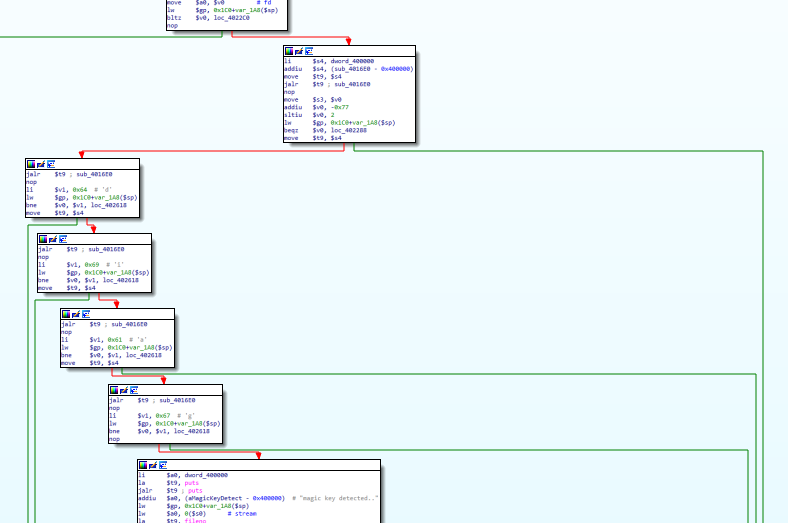
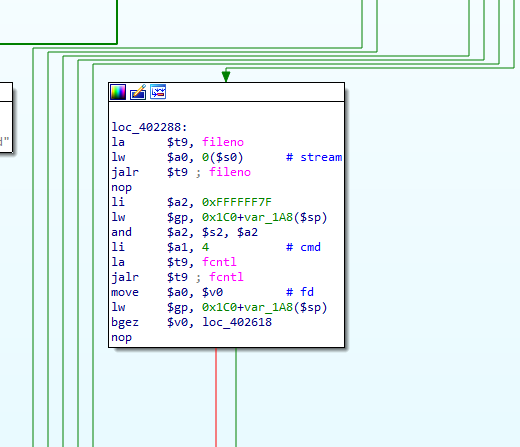
loc_402288 appears to be a code block that handles incorrect magic keys.
So… how do I get the magic key check to accept ‘diag’?
Let’s look again at the branch just before the one checking for the ’d’ character.
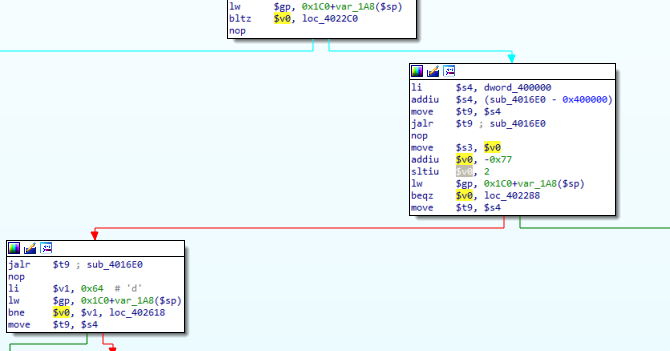
addiu   $v0, -0x77
sltiu   $v0, 2
lw      $gp, 0x1C0+var_1A8($sp)
beqz    $v0, loc_402288
The first line subtracts 0x77 from the $v0 register.
The second line performs an unsigned comparison of $v0 with 0x2 and stores 1 in $v0 if $v0 is less than 0x2; otherwise, it stores 0.
Mathematically, the check is an unsigned comparison: ($v0 - 0x77) < 0x2.
The fourth line is an instruction to go to the branch that handles the incorrect magic key (loc_402288) if $v0 is zero.
Therefore, only two input values pass this check before diag: 0x77 (0 < 0x2) and 0x78 (1 < 0x2).
In ASCII, 0x77 is ‘w’, and 0x78 is ‘x’.
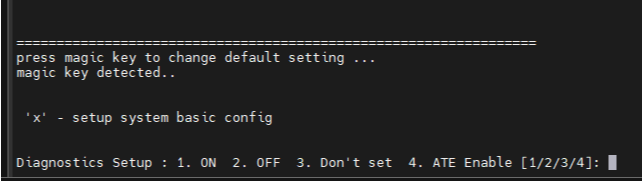
I typed ‘xdiag’. Hurray! The menu has finally been unlocked.
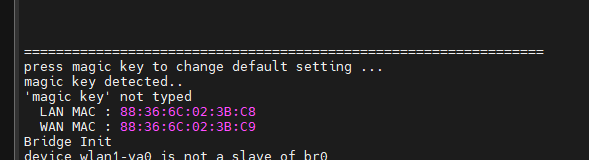
But when I typed ‘wdiag’, I got the message ‘magic key is detected but not typed’.
But.. why?
The answer lies in the next branch, which checks for the ‘g’ character.
The first character was already checked before d, but the last line in this branch checks for x again.
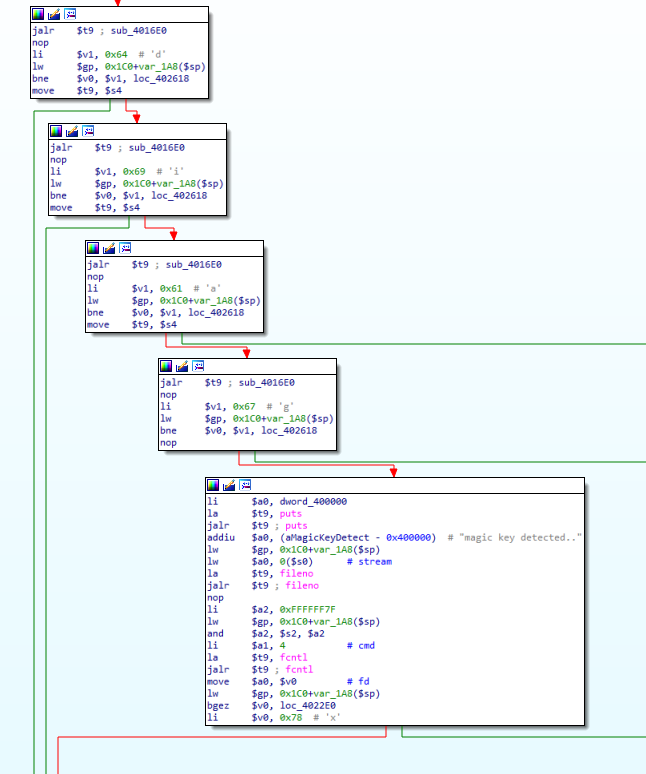
This complicated key-checking logic appears to reflect the manufacturer’s implementation and compiler optimization.
Previous post: Accessing the UART Pins of the ipTIME A604V Router with an Arduino Uno